
Learning how to become a web developer in 2026 can be an excellent starting point for people who enjoy technology, creativity, and problem-solving. Websites are used by businesses, educational institutions, online stores, and individuals to share information and provide digital services. Web developers help build and maintain these websites, making their work an important part of the modern internet.
The good news is that you do not necessarily need a computer science degree or years of programming experience to begin learning web development. With consistent practice, suitable learning resources, and real projects, beginners can gradually develop the skills needed to build websites. However, becoming job-ready takes time, patience, and a willingness to solve problems independently.
This guide explains how to become a web developer in 2026, which programming languages to learn first, how to practise your skills, and how to create a portfolio that demonstrates your abilities to potential employers and clients.
What Is a Web Developer?
A web developer is a professional who builds, improves, and maintains websites or web applications. Web developers work with programming languages, development tools, databases, and other technologies to create digital experiences that function properly across different devices and browsers.
Some developers focus on the visual parts of a website, such as its layout, buttons, navigation, and interactive elements. Others work behind the scenes on servers, databases, user accounts, and application logic. Some developers work across both areas.
Web development is different from web design, although the two fields often overlap. Web designers generally focus on a website’s appearance and user experience, while web developers implement the design and make the website function. Learning some design principles can still be valuable because a successful website needs both attractive presentation and reliable functionality.
Why Become a Web Developer in 2026?
Web development offers several possible career paths. You can work as an employee, pursue freelance projects, join a development agency, contribute to an existing team, or eventually build your own digital products. The right path depends on your skills, interests, location, and professional goals.
Another advantage is that you can begin learning with widely available educational resources. You can practise HTML, CSS, and JavaScript on your own computer without purchasing expensive development software. Many beginner tutorials and documentation resources are available free of charge.
Web development also provides opportunities to combine technical and creative abilities. You may enjoy designing layouts, solving programming problems, improving website performance, or making online services easier to use. As your experience grows, you can explore specialised areas such as front-end development, back-end development, full-stack development, or e-commerce website development.
Nevertheless, learning web development does not guarantee a job or a particular income. Employers and clients look for practical skills, communication, problem-solving, and evidence that you can complete useful work. Your progress will depend on the quality of your learning, the time you invest, and the opportunities available to you.
Understand the Main Types of Web Development
Before choosing what to learn, it helps to understand the major areas of web development. Each area involves different responsibilities, and you do not need to master all of them at the beginning.
Front-End Development
Front-end development focuses on the parts of a website that visitors see and interact with. Front-end developers create page layouts, navigation menus, forms, interactive buttons, responsive designs, and other browser-based features.
HTML provides the structure of a web page, CSS controls its appearance and layout, and JavaScript adds behaviour and interactivity. These technologies form the foundation of front-end development and should be your first learning priority if you want to build websites from scratch.
Back-End Development
Back-end development focuses on the systems that operate behind a website. These systems can process form submissions, manage user accounts, communicate with databases, authenticate users, and deliver information to the front end.
Back-end developers commonly work with technologies such as Node.js, Python, PHP, Java, or other server-side tools. The best choice depends on the projects you want to build and the technology used by the organisations you hope to work with.
You do not need to learn several back-end languages simultaneously. Start with one suitable technology after you understand basic web development concepts.
Full-Stack Development
Full-stack development combines front-end and back-end work. A full-stack developer may build the user interface, implement server-side functionality, connect a database, and help deploy an application.
This path can be useful for people who enjoy understanding how an entire website works. However, it involves a wider range of skills, so beginners should first establish a strong foundation before attempting complex full-stack projects.
How to Become a Web Developer in 2026
Start with HTML
HTML, or HyperText Markup Language, defines the structure and meaning of content on a web page. It is used to create headings, paragraphs, links, images, forms, and other page elements.
Begin by learning how a basic HTML document is structured. Practise creating a page with a heading, an introduction, an image, and links to other pages. Then learn semantic HTML elements, which help describe the purpose of different sections of a page.
You should also understand how to create accessible links, organise headings correctly, and provide meaningful alternative text for images. These fundamentals will help you build pages that are easier to understand, maintain, and use.
Learn CSS for Website Design
CSS, or Cascading Style Sheets, controls how HTML content looks. It allows you to choose colours, fonts, spacing, borders, backgrounds, and page layouts. CSS is also essential for creating websites that adapt to different screen sizes.
Start with selectors, properties, the box model, typography, margins, padding, and borders. Then practise Flexbox and CSS Grid to understand how to organise content into flexible layouts.
Responsive design deserves particular attention. A website should remain readable and usable on mobile phones, tablets, and desktop computers. Build practice pages at different screen sizes and check that text, images, buttons, and navigation work correctly.
As your skills improve, experiment with reusable styles and consistent design systems. Learning to organise CSS clearly will make larger projects easier to update.
Understand JavaScript
JavaScript adds interactive behaviour to websites. It can respond to button clicks, validate form input, update page content, display menus, and communicate with web services.
Begin with variables, data types, operators, conditions, loops, functions, arrays, and objects. Practise writing small programs before moving to more complex browser interactions.
Once you understand the fundamentals, learn how JavaScript interacts with the browser through the Document Object Model, commonly called the DOM. Build simple features such as a mobile navigation menu, an interactive FAQ section, or a form that checks whether required fields have been completed.
Do not rush into advanced frameworks before you understand basic JavaScript. A strong understanding of the language makes it easier to learn additional tools and troubleshoot problems.
Learn Git and GitHub
Git is a version control system that records changes to your project files. GitHub is an online platform where you can host repositories, share code, and collaborate with other developers.
Learning these tools will help you manage your projects more confidently. Practise creating a repository, saving changes with commits, writing a useful README file, and updating your code as you improve a project.
GitHub can also support your professional portfolio by giving employers or collaborators access to selected examples of your code. Make sure your repositories are organised and that any published project can be understood without extensive explanation.
Explore a Framework or Library
After developing a solid foundation in HTML, CSS, and JavaScript, you can explore a front-end framework or library. Tools such as React can help developers organise interactive interfaces and build larger applications.
A framework is not a substitute for understanding the underlying technologies. You should be able to explain your code, identify problems, and understand the purpose of the tools you use.
Choose a tool based on your learning goals and the types of projects you want to create. Learn its core concepts through documentation and practical exercises, then use it to improve an existing project rather than collecting tutorials without applying what you learn.
Understand Basic Web Accessibility and Performance
Professional web development involves more than making a page look attractive. Websites should be usable by people with different abilities and should work reliably across a range of devices.
Learn how to use semantic HTML, provide appropriate labels for forms, maintain readable colour contrast, and support keyboard navigation. These practices can make your website easier for more people to use.
You should also understand website performance. Oversized images, unnecessary scripts, and inefficient code can slow down a page. Optimise image files, avoid adding unnecessary dependencies, and test your pages regularly. Security, privacy, and reliable handling of user information are equally important when your projects begin to process sensitive data.
Build Real Projects to Develop Your Skills
Practical projects are essential because they allow you to apply concepts instead of simply memorising them. Start with small projects that you can complete and understand. A personal homepage is a good first exercise because it lets you practise headings, paragraphs, links, images, and basic page structure.
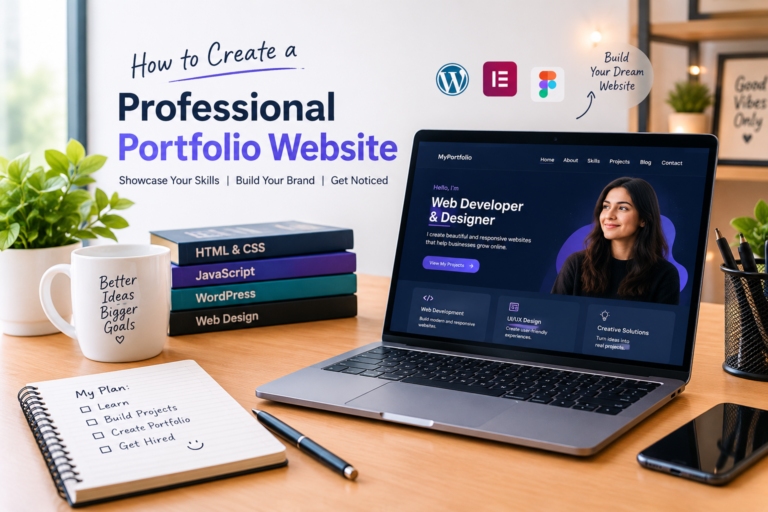
Next, create a responsive portfolio website that introduces you, explains your skills, and displays your work. You can expand it as you gain experience. A landing page for a fictional business can help you practise layout and visual hierarchy, while a JavaScript-powered calculator can give you experience with functions, events, and user input.
When you are comfortable with these projects, build something that solves a clear problem. For example, you could create a task organiser, a searchable list of resources, or a small application that retrieves public information from an API. Choose projects that match your current ability and gradually introduce more challenging features.
For every project, explain what it does, which technologies you used, and what you learned while building it. Include screenshots where useful and provide a working demonstration when possible. If a project is a practice exercise, describe it honestly rather than presenting it as paid client work.
Create a Professional Web Developer Portfolio
A portfolio website helps potential employers and clients understand your abilities. It should present your work clearly and make it easy for visitors to contact you.
Your homepage should briefly explain who you are and the type of web development work you want to do. An About page can describe your background, learning journey, and professional interests. A Skills page should focus on technologies you genuinely understand, while a Projects page should showcase your strongest examples.
For each project, provide a concise description of the problem it addresses, your role, the technologies used, and the outcome. Include links to a live version or source code when appropriate and safe to share. Do not publish passwords, API secrets, private client information, or other confidential data.
A Contact page should provide a straightforward way to reach you. Review the entire website on mobile devices, check for broken links, and make sure your information is accurate.
If you are building your portfolio with WordPress and Kadence, you can use the block editor to arrange your pages, images, headings, and project sections without coding every element manually. You can also publish helpful articles about web development to demonstrate your knowledge and support the website’s long-term content strategy.
How to Find Web Development Jobs or Freelance Work
Once you have a foundation in web development and several completed projects, begin exploring opportunities that match your abilities. Read job descriptions carefully to identify commonly requested skills, then compare those requirements with your current knowledge. Use the gaps you discover to guide your next learning projects.
For entry-level positions, focus on showing that you understand the fundamentals, can follow instructions, communicate clearly, and solve practical problems. Tailor your résumé and portfolio to the role rather than sending the same generic application everywhere.
Freelancers can start by defining a clear service, such as building a simple business website or improving an existing website’s layout. Describe what the service includes, set realistic expectations, and agree on the scope of work before beginning a project. Professional communication and reliable delivery are important for building trust.
Networking can also help. Share completed projects, participate constructively in developer communities, and ask for feedback from people who have relevant experience. Avoid claiming expertise in technologies you have only just started learning. Honest descriptions of your skills help set appropriate expectations and support your long-term reputation.
How Long Does It Take to Become a Web Developer?
The time required to become a web developer varies according to your starting point, available study time, learning method, and career goals. Some learners become comfortable building simple websites within a few months, while becoming ready for a particular job may take longer.
Consistent practice is generally more useful than studying intensively for a short period and then stopping. Spend time learning a concept, applying it in a project, reviewing mistakes, and improving your work. Keep notes about problems you solve so you can revisit the lessons later.
You do not need to know every programming language before applying for an entry-level role. However, you should be able to explain your projects, demonstrate the skills listed on your résumé, and work through basic problems without relying entirely on copied code.
Best Free Resources to Learn Web Development
The quality of your learning resources matters. Prefer educational materials that explain concepts clearly, include practical exercises, and are maintained by trustworthy organisations or experienced educators.
The MDN Learn Web Development guide provides structured learning material for beginners, including HTML, CSS, JavaScript, accessibility, and development tools. It is a useful place to study the fundamentals and test your understanding through practical challenges.
The MDN Curriculum outlines core skills for aspiring front-end developers. It covers web standards, semantic HTML, CSS, JavaScript, accessibility, design principles, and version control.
You can also explore freeCodeCamp for interactive lessons and project-based practice. Whichever resource you choose, try to build something after each major topic. Reading tutorials alone is not enough to develop confidence in writing and maintaining code.
Conclusion
Learning how to become a web developer in 2026 starts with a clear plan, a strong foundation, and regular practice. Begin with HTML, CSS, and JavaScript, then build practical projects that demonstrate your understanding. As you progress, learn Git, explore relevant development tools, and pay attention to accessibility, performance, and security.
A professional portfolio can help you present your skills to potential employers and clients, while useful learning resources can guide your development without requiring expensive training at the beginning. Focus on understanding the technologies you use, solving real problems, and improving your work through feedback.
You do not need to learn everything at once. Choose one skill, practise it consistently, and build on what you already know. With patience and a commitment to continuous learning, you can work toward becoming a capable web developer and explore the career opportunities that fit your goals.
Frequently Asked Questions
Can I become a web developer in 2026 without a degree?
Yes, it is possible to learn web development without a formal computer science degree. Many people begin with online courses, documentation, and independent projects. However, individual employers have different education requirements, so you should check the qualifications requested for the roles you want.
Which programming language should I learn first?
Start with HTML and CSS to understand how websites are structured and styled, then learn JavaScript to add interactivity. HTML is a markup language rather than a programming language, but it is a fundamental web technology. This sequence gives beginners a practical foundation before moving to more advanced tools.
Is web development difficult for beginners?
Web development can feel challenging at first because it involves new concepts and problem-solving. Start with small exercises, practise regularly, and avoid trying to learn too many technologies simultaneously. Building projects and reviewing mistakes will help you develop a better understanding over time.
Can I learn web development for free?
Yes. Resources such as MDN Learn Web Development and freeCodeCamp offer learning material that beginners can use without paying for a course. You may eventually choose to pay for hosting, specialised tools, or training, but you can begin learning the fundamentals with free resources.
Do I need to learn AI tools to become a web developer?
AI tools can assist with explanations, brainstorming, and debugging, but they do not replace an understanding of web technologies. Learn to read code, test suggestions, identify errors, and understand security implications. You remain responsible for the quality and reliability of the work you produce.
What projects should a beginner include in a web development portfolio?
Start with projects you can explain clearly, such as a personal portfolio, responsive landing page, interactive calculator, or small JavaScript application. Focus on quality, working functionality, and clear documentation. A few well-presented projects are often more useful than a large collection of unfinished examples.
Is front-end development a good starting point for beginners?
Front-end development can be a practical starting point because you can see the results of your work directly in a browser. Learning HTML, CSS, and JavaScript provides a foundation for creating websites and can prepare you to explore frameworks or back-end development later.
How can I get my first web development job?
Develop your core skills, complete projects that demonstrate your abilities, and create a portfolio that is easy to review. Apply for roles that match your experience, tailor your applications, and practise explaining your technical decisions. Finding a first job can take time, and results depend on your skills and the opportunities available in your market.